



-
The “Where was I?” app, developed using the Google Maps API, helps users locate places they visited but can no longer remember. How often have you seen a store you were interested in but didn’t have time to visit, only to forget its location later? Or parked your car and couldn’t remember where it was? With this app, you can save your current position and later find your way back to it. You can store multiple locations and delete those you no longer need. The app requires an internet connection and GPS to track your position and guide you back to your saved locations.
Features:
Overview:
-
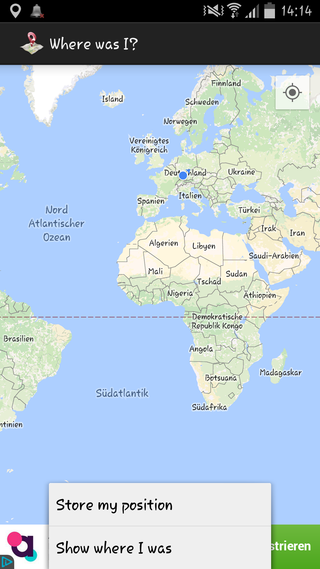 When you open the app, a map is displayed. If your GPS is enabled, a blue point shows your current location. You can zoom in and out just like in Google Maps.
Store my position: Saves your current location. You must provide a unique name, which will be used to identify the location in your list. Later, you can use this list to navigate back.
Show were I was: Displays a list of all saved locations. Select one, and the app will trace a route from your current position to the saved location.
-
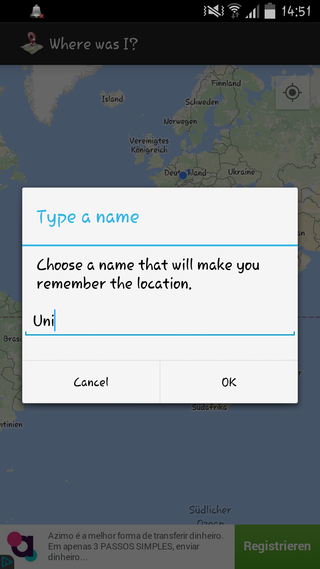 When storing a new position, assign a unique name to save it in the list. This name will help you find the location later.
-
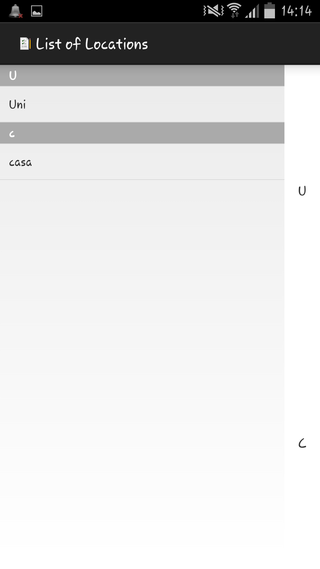 When viewing saved locations, select one from the list, and the app will guide you back from your current position.
-
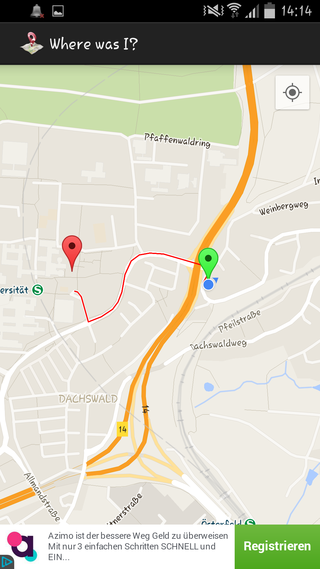 The app shows your current location as a green point and the saved location as a red point, displaying the route between them.
Download:
| Apk |

|
- 19.10.2025 The CesRoc Projects website is back online! All previous projects are still available, and many more exciting projects will be added soon. We hope you enjoy your visit, and thank you for stopping by.


