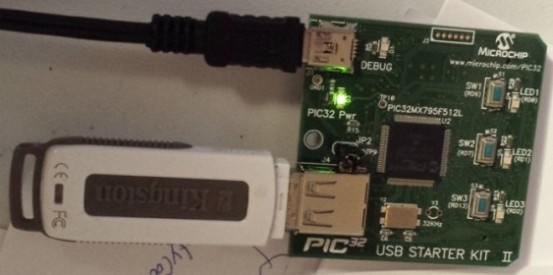
This is a simple example developed using the PIC32 USB Starter Kit II. The example demonstrates how to send debug messages to the MPLAB IDE, open a file, write information to it, and then close the file. The USB Starter Kit includes three push buttons and three LEDs. In this project: The first two buttons are used to write messages to the file; The third button is used to close the file. Each time a button is pressed, its corresponding LED lights up.
The Starter Kit provides a debug library that supports basic console I/O. To send a message to the console, you only need to call: DBINIT() and then DBPRINTF("your text").
It also includes libraries for file system and USB handling. The example below illustrates how to open, write to, and close a file:
Note: The third parameter of FSfwrite() defines the string size — it is recommended to use the actual size of your string as the parameter. You can download the complete example code below. This project also uses LEDs and push buttons to demonstrate basic hardware interaction.
As mentioned, this is just a basic example. A possible next step is to connect the PIC32 to an Arduino to measure temperature and save the data on a USB flash drive.
Software
Source code
19.10.2025
The CesRoc Projects website is back online! All previous projects are still available, and many more exciting projects will be added soon. We hope you enjoy your visit, and thank you for stopping by.